 termal
Agent-native SSH client
A fast SSH client — for you and your agents.
The terminal you keep open all day — tabs, SFTP with a built-in editor, one-unlock keys. And the part no one else has: a built-in MCP server, so Claude Code or any agent works on your servers while you watch every move live — keys never touching disk.
Free tier · 14-day Pro trial · Windows, macOS & Linux — or all downloads.
01 / what's inside
A complete SSH client — the one you keep open all day.
Everything you expect from a modern terminal, done properly and kept fast.
Tabbed terminal
Real xterm-256color sessions with browser-style tabs you can drag to reorder, a hosts sidebar, snippets, and session restore with scrollback.
SFTP + file editor
Browse remote files, upload and download, and edit in place with a built-in editor — no round-trip to a local copy.
Dual-pane files + S3
Two panes, drag between them — host to host, or straight to and from an S3 bucket, a first-class host beside SFTP and FTP. No staging a copy locally in between.
Port forwarding
Reach a service behind a server, expose a local one on it, or route traffic through it — in plain words, not -L/-R/-D. Saves per host, starts on launch, reconnects.
Keys & agent
Generate, import and manage SSH keys. Unlock once and Termalin's own agent signs for you — passphrases cached on your terms.
Command history
Every command, kept per host — and on Pro, synced across your devices, end-to-end encrypted so only you can read it. Search it, and turn any line into a snippet.
Local terminal
Open a shell on your own machine as a tab — right beside your servers. Type claude, gemini or codex and it runs there, dropping you back at a prompt when it's done.
Terminal themes
Colour your terminals to taste — Termalin's own palette plus Dracula, Nord, Gruvbox, Monokai, One Dark, Material and Solarized. Set one per host, a default for a folder, or one for the whole app — desktop and browser alike.
Live system stats
A status bar with CPU, memory, disk, network, load and uptime for the box you're on — at a glance, always current.
Light on RAM
A Rust core and tab hibernation instead of leaking memory. It stays quick even with a wall of hosts open for weeks.
Cross-platform
One client for Windows, macOS and Linux — plus a browser cabinet that works on your phone. With Pro's end-to-end encrypted sync, your hosts and keys follow you to every device, not just the one you set them up on.
02 / the part no one else has
And it's the first one built for your agents.
You barely open a terminal by hand anymore — your agent does the work. Termalin is the layer it connects through: an MCP server over the hosts you choose, with a key custodian in the middle.
- ▸Agent-native. A real MCP server — your agent lists the hosts you expose and runs commands through Termalin, per-host, on your terms.
- ▸Key custodian. Unlock once; Termalin signs on the agent's behalf. No
ssh-add, no OS agent service, no key written to disk. - ▸You stay in the loop. Every agent session mirrors to your screen — watch what it runs, or step in and take the keyboard.
- ▸No running app required. Point an agent at Termalin's hosted MCP endpoint with an API key — it runs commands on your tunnelled servers even when nothing's open on your machine.
03 / see it in action
Every session, live — and side by side.
A few of the things you'll do every day — captured from the app.
Watch grid
Open as many hosts as you like — the watch grid mirrors them all at once, so you drive a change across a fleet and see each one respond.
- Every open session as a live tile.
- Sessions an agent is driving glow, so you always know what's running where.
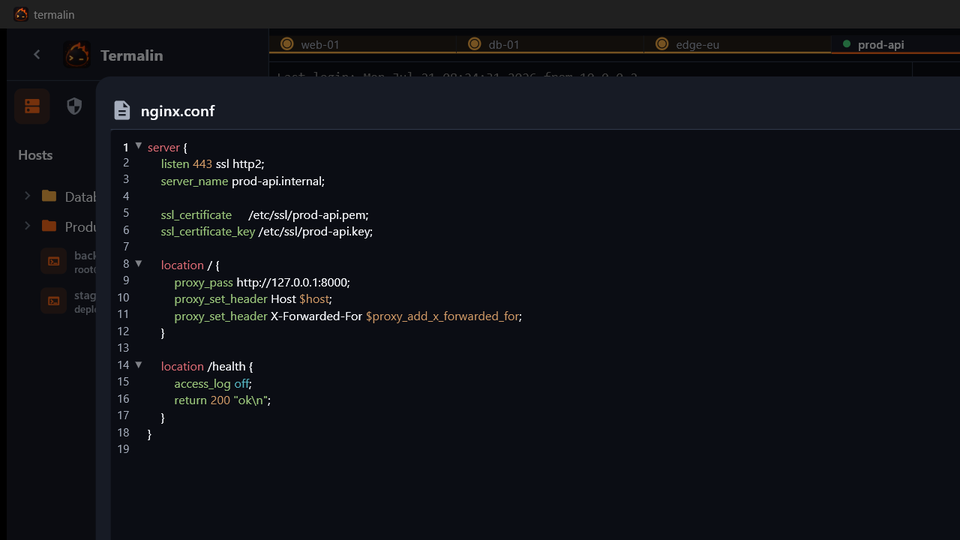
SFTP browser & editor
Browse remote files, then open them right here — no round-trip to a local copy.
- A real editor: syntax highlighting, search & replace, word wrap.
- Open images, PDFs, Markdown, CSV and archives in place — not just code.
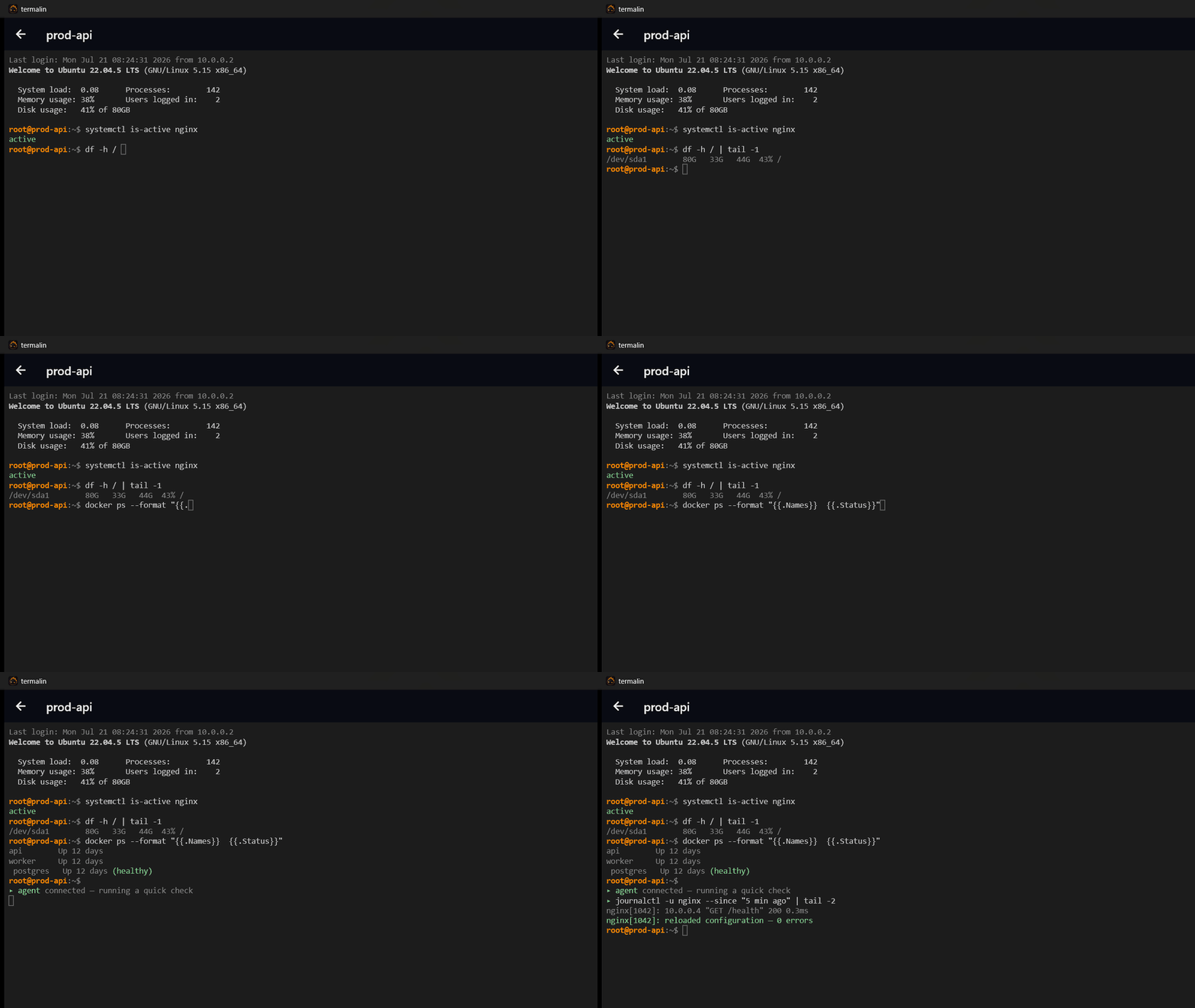
Session replay
Record any session and play it back later — commands, output and agent actions, on a scrubbable timeline with markers.
04 / anywhere, even behind a firewall
Open a terminal in the browser — even to servers with no open port.
Sign in at termal.in/account for a real terminal on your hosts, no app required — plus SFTP, FTP and S3 file browsers, snippets and recordings, all adapting to a phone. For a server behind a firewall, run one line to install a tiny agent — no inbound port to open, and no SSH key to hand out. Then connect from the browser, keyless.
- ▸No open port. The agent dials out to Termalin — nothing listens on the server, so a closed firewall stays closed.
- ▸No SSH key to manage. Logins use a short-lived certificate (minutes) from Termalin's CA, which the host is set to trust — the same model as Cloudflare and Teleport.
- ▸The agent stays blind. It only shuttles encrypted SSH bytes to your own
sshd— never your keystrokes, output or credentials. - ▸Featherweight. One static binary — about 3 MB on disk and under 1 MB of RAM idle. Installs as a service and reconnects on its own.
05 / from the blog
Field notes on SSH — and the agents that use it.
- ▸SSH session recording on EC2 (and other cloud VMs) — Instances are cattle — recordings have to outlive the box. SSM Session Manager logging, EC2 Instance Connect, tlog on the instance and client-side recording compared honestly: what each captures, what it misses, and where the record should live.
- ▸Record and audit SSH sessions on a bastion host — All privileged access funnels through one box — which makes the bastion the natural place to answer 'who did what'. Server-side tlog, client-side recording, or both; what auditors need beyond raw recordings; and the keystroke trap to avoid.
- ▸SSH reverse tunnels (ssh -R): expose a local port through a remote server — How ssh -R actually works — the listener opens on the remote side. Worked examples for demoing a dev server, reaching a machine behind NAT and catching webhooks, plus GatewayPorts, keepalives, and when a reverse tunnel is the wrong tool.

◆ / early access
The terminal you'll keep — and hand to your agent, safely.
Termalin is being built in the open — with a free tier and a 14-day Pro trial, for Windows, macOS and Linux. Not ready to install? Try the live demo in your browser.
Free · Windows, macOS & Linux · signed auto-updates.