 termal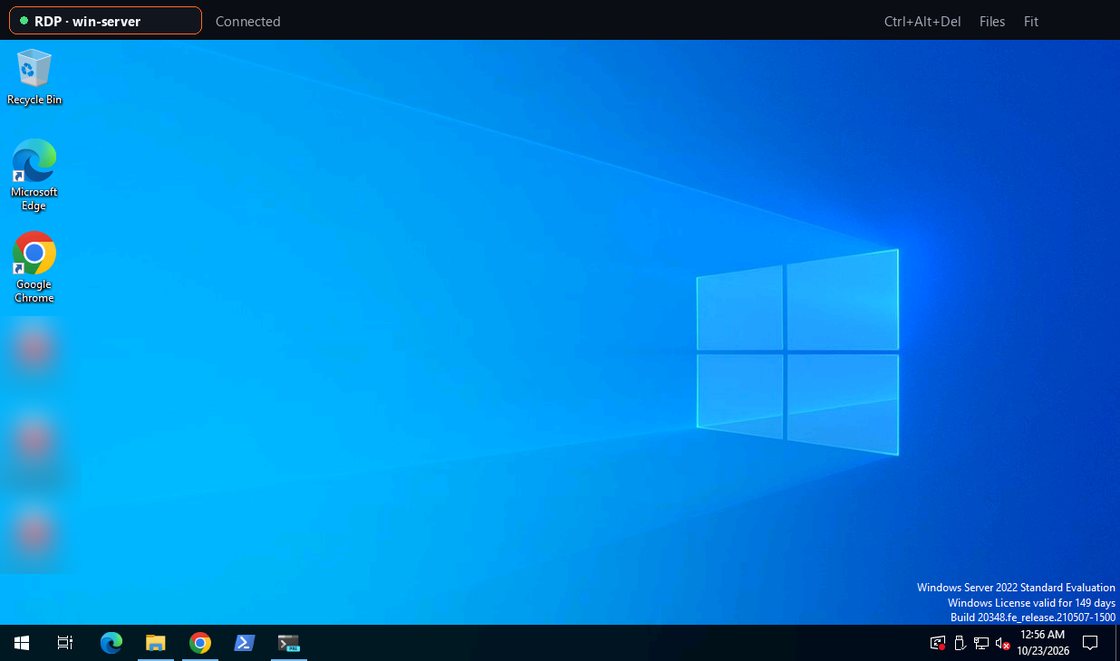
A terminal isn’t always enough — sometimes you need the actual desktop. This release opens Windows and Linux desktops in a tab over RDP and VNC, brings the Connector to Windows and macOS, extends monitoring and encrypted backups to more systems, and adds a browser extension.
Open a Windows or Linux desktop in a tab
Two new connection types sit next to SSH: a Windows desktop over RDP, or any VNC desktop. It opens in a tab, scaled to fit or at actual size, with mouse, wheel, keyboard, Ctrl+Alt+Del and the clipboard both ways. Connect directly to an address, or through a Connector to a desktop on its private network — an empty address means the Connector’s own machine. On the Connector path the encrypted session is opened by the app itself; termal.in only passes bytes along.
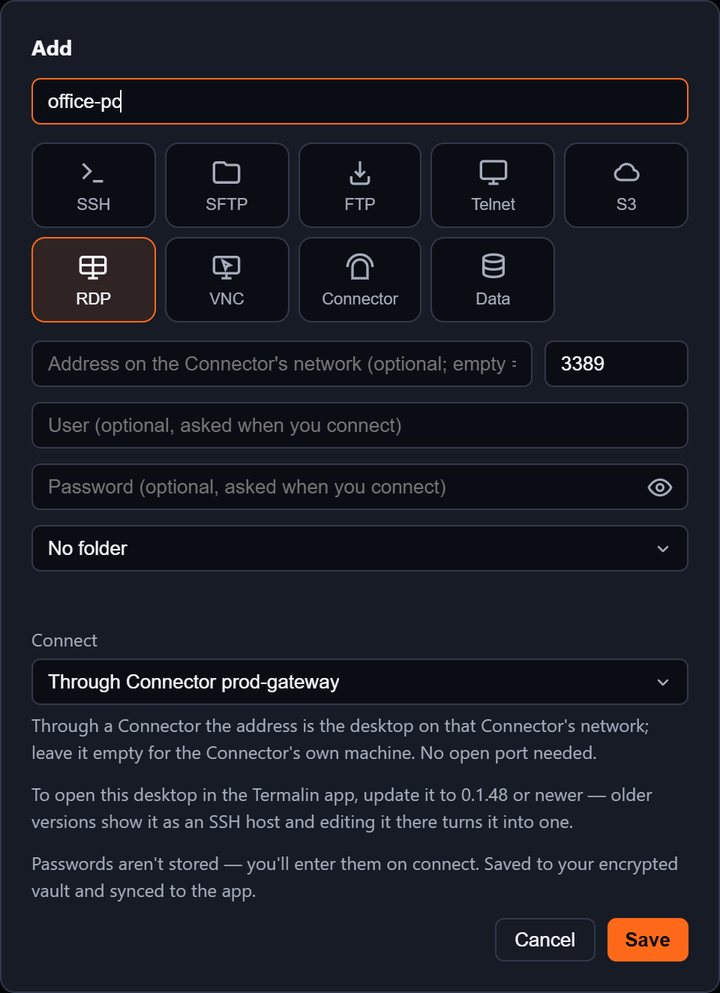
To start: add an RDP or VNC host (or right-click a Connector → Remote desktop), choose Directly or Through Connector, and it opens in a tab. The remote desktop client page has the details, and remote desktop without port forwarding explains the Connector route.
A direct RDP or VNC connection from the app is free — your computer dials the desktop and our servers aren’t involved. Opening one through a Connector uses the backend relay and needs a plan (Pro, Team or the trial).
Files, certificates and Mac keys
When a desktop is opened through a Connector on the Connector’s own machine, a file panel docks beside it — that machine’s files through the same Connector, with no key. The app remembers a desktop’s certificate on first connect and stops with both fingerprints if it changes, before any password is sent; trusting the new one is a click. On a Mac, ⌘ is the Windows key, common ⌘ shortcuts arrive as Ctrl, and the clipboard syncs both ways.
Add a Connector on Windows and macOS
The Connector is no longer Linux-only. One line installs it:
- Linux and macOS:
curl -fsSL https://termal.in/i/<token> | sudo sh - Windows (PowerShell, as administrator):
irm https://termal.in/i/<token>.ps1 | iex
Get install command in the cabinet gives the line under the Linux / macOS and Windows tabs; the link works once, for an hour. On macOS the Connector turns on Remote Login; on Windows it adds the built-in OpenSSH Server if missing, runs as a service, and leaves port 22 closed — sshd listens on the machine itself only. The web terminal, remote desktops, AI apps and monitoring all reach those servers too. The Connector page covers it.
Monitoring for Windows and macOS servers
A server’s metrics and alerts now work on Windows (CPU, memory, page file, drives, network, disk traffic, processes, uptime) and macOS (load, CPU, memory, swap, volumes, network, processes, uptime), not only Linux.
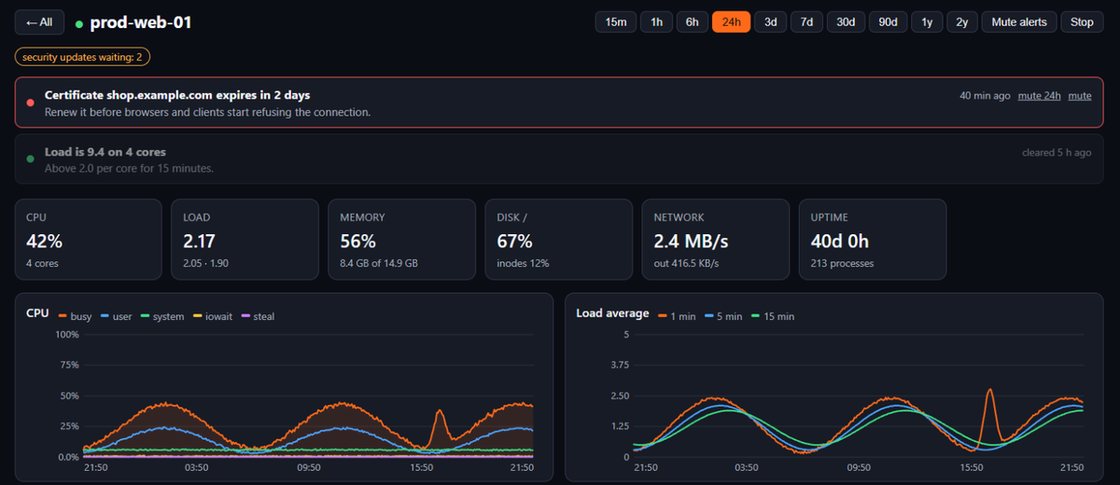
See Windows server monitoring and the server monitoring page.
Encrypted backups of your servers
Pick a Linux server, the folders, how often (hourly, daily, weekly or by hand), how many copies to keep, and a read-speed limit so a backup never hogs the disk and network the server needs. Nothing is installed on the server — it packs the folders at the lowest CPU and disk priority, through the Connector.
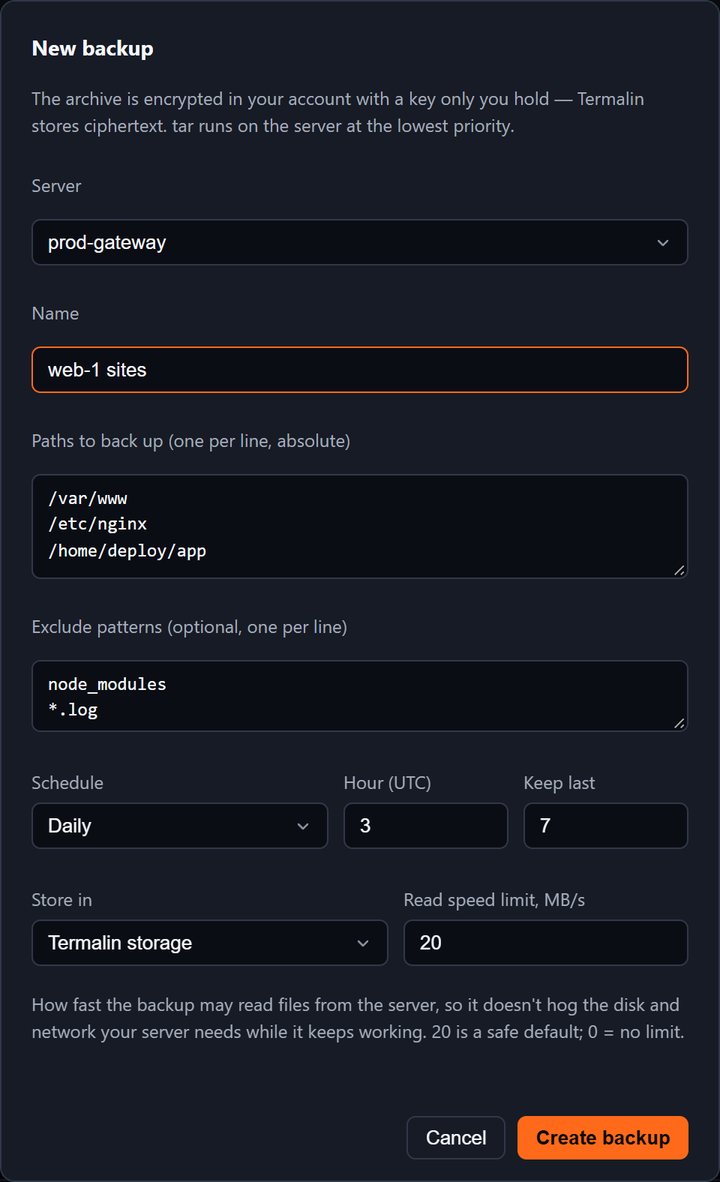
Each backup is encrypted with a key made in the cabinet or the app, so only you can open an archive. Store it in Termalin storage, any S3-compatible bucket (AWS, Backblaze B2, Cloudflare R2, Hetzner, MinIO…), or another of your own servers that has a Connector. The server backups page has the full description.
Termalin for Chrome
A browser extension is now in the Chrome Web Store. On ChatGPT, Claude, GitHub and Stack Overflow, every code block gets Run on server: pick a server, check the command, run — nothing runs until you press the button, and risky commands ask twice. After a run, Insert into chat puts the output back into the ChatGPT or Claude composer so the agent sees the real result. The side panel shows your servers, open alerts and server metrics; the toolbar badge counts open alerts. In nine languages.
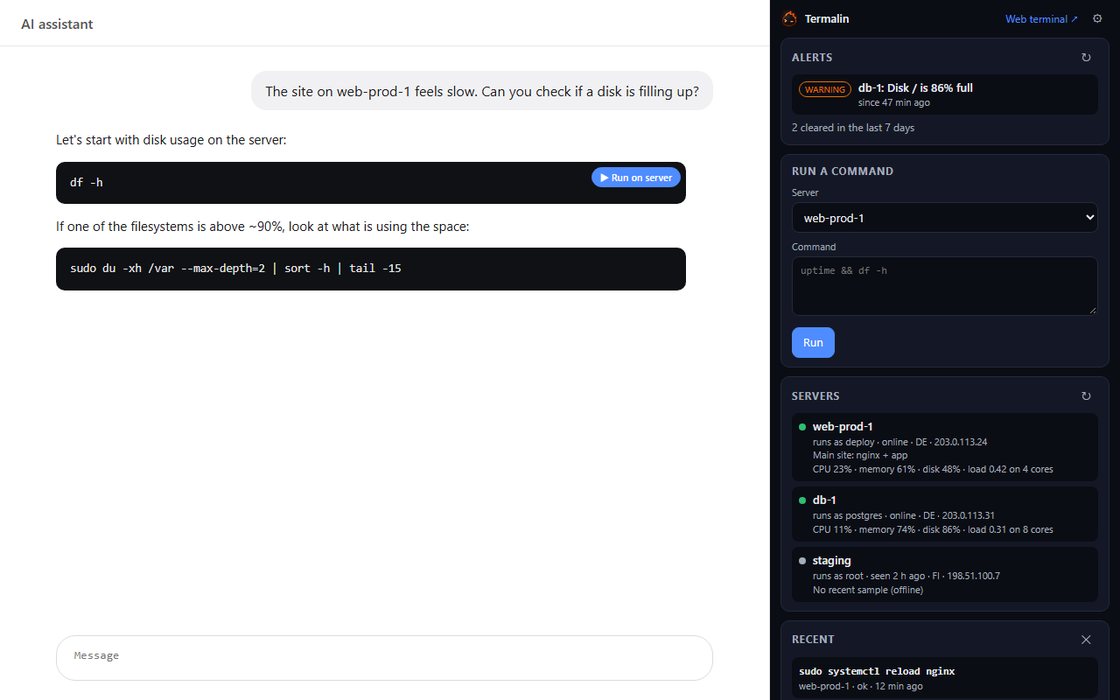
It signs in to your account like any AI app and follows the same command rules. Managing servers from Claude and ChatGPT shows how that fits together.
Backups, monitoring and alerts in the desktop app
The same features reach the desktop app under Settings → Account: Backups (jobs, archives, your own S3 buckets, another of your servers, and the storage bar), Monitoring (an overview of every Connector server with 1h / 24h / 7d charts), and Alerts (open and recent alerts, mute, and the settings — email, push, webhook, Telegram, thresholds, test). Signed-out and Free accounts see what the feature is and where to sign in or pick a plan, instead of an error. Session recordings the app saves are now encrypted on your computer with a key kept in your system keychain.